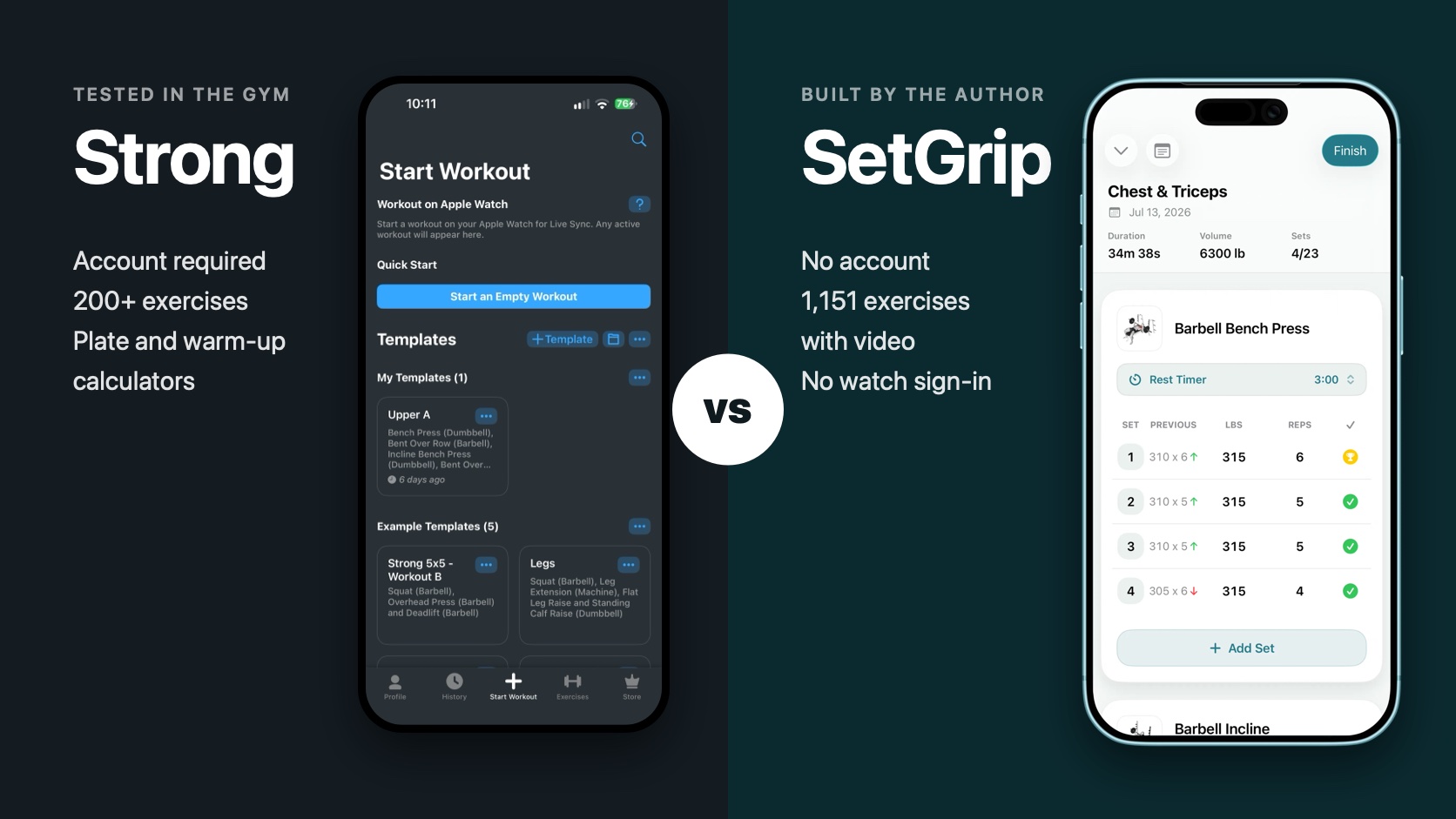
I am the developer of SetGrip, so I am not neutral. To keep this useful anyway, I did two things. I used Strong in my own gym sessions for a week in September 2026 (version 6.5.0, free plan) instead of comparing App Store descriptions. And every claim about Strong below comes from Strong's own App Store listing or help centre, linked where it is used. Claims about SetGrip were checked against its source code.
Strong is a very good app. It has been around for years, has a 4.9 rating from about 109,000 ratings in the US App Store, and has more settings and tools than SetGrip does. SetGrip launched in July 2026 and has a handful of ratings. That difference in maturity is real, and you will see it in the table below.
SetGrip vs Strong at a glance
| SetGrip | Strong | |
|---|---|---|
| Account | None. No sign-up, no login | Required before first use |
| Where data lives | Your iPhone and your private iCloud | Strong Cloud, tied to your account |
| Platforms | iPhone (iOS 26) and Apple Watch (watchOS 26) | iPhone (iOS 15), Apple Watch (watchOS 10), Android |
| Apple Watch setup | No sign-in. Routines appear on the watch | Sign in on the watch with your Strong password |
| Built-in exercises | 1,151, all with video and instructions | Over 200, with instructions and videos |
| Custom exercises | No | Yes |
| Free routine limit | 3 routines | 3 templates |
| Price (US) | $4.99 month, $29.99 year, $99.99 lifetime | $4.99 month, $19.99 six months, $29.99 year, $99.99 lifetime |
| Export | CSV and JSON, free | CSV, free |
| Plate and warm-up calculators | No | Yes, in PRO |
| Body measurements | No | Yes, body parts in PRO |
| Edit a finished workout | No | Yes |
| Plateau alerts | Yes, in Premium | Not listed |
| Languages | 7 | 11 |
Strong details come from its US App Store listing and help centre, checked on September 20, 2026. Apps change, so check the linked pages if you read this much later.
The account, and what happened on my Apple Watch
This is where the two apps differ most. Strong's help centre is direct about it: “All users will be prompted to sign up for an account before using Strong”. The account is what stores your workouts in Strong Cloud and syncs them between devices. That is a reasonable design, and for someone who moves between an iPhone and an Android phone it is the feature that makes Strong possible at all.
It also created the one real problem I had. I signed up in the iPhone app with my Google account, which took a few seconds. Then I opened Strong on my Apple Watch in the gym, and the watch asked me to sign in. The help text on the watch explains that after logging in on iOS with Google or Facebook you go to Profile, tap the username row, and will be prompted to add a password, which you then use on the watch.
On my phone the Profile screen did not offer to add a password. It offered Reset Password. I used that, got the email, set a new 15-character password, and typed it on the watch keyboard. The watch rejected it. I was between sets with a pre-workout kicking in, doing account support instead of training, so I gave up on the watch login and in the end deleted the app. I reinstalled it to go through every screen for this comparison.
I cannot tell whether that was a bug, a step I missed, or a problem specific to Google sign-in. Someone who signs up with an email and password from the start will probably never see it. What I can say is that the whole category of problem does not exist in SetGrip. There is no account, so there is nothing to sign into on either device. You install the app, build a routine, and the routine is on your wrist.
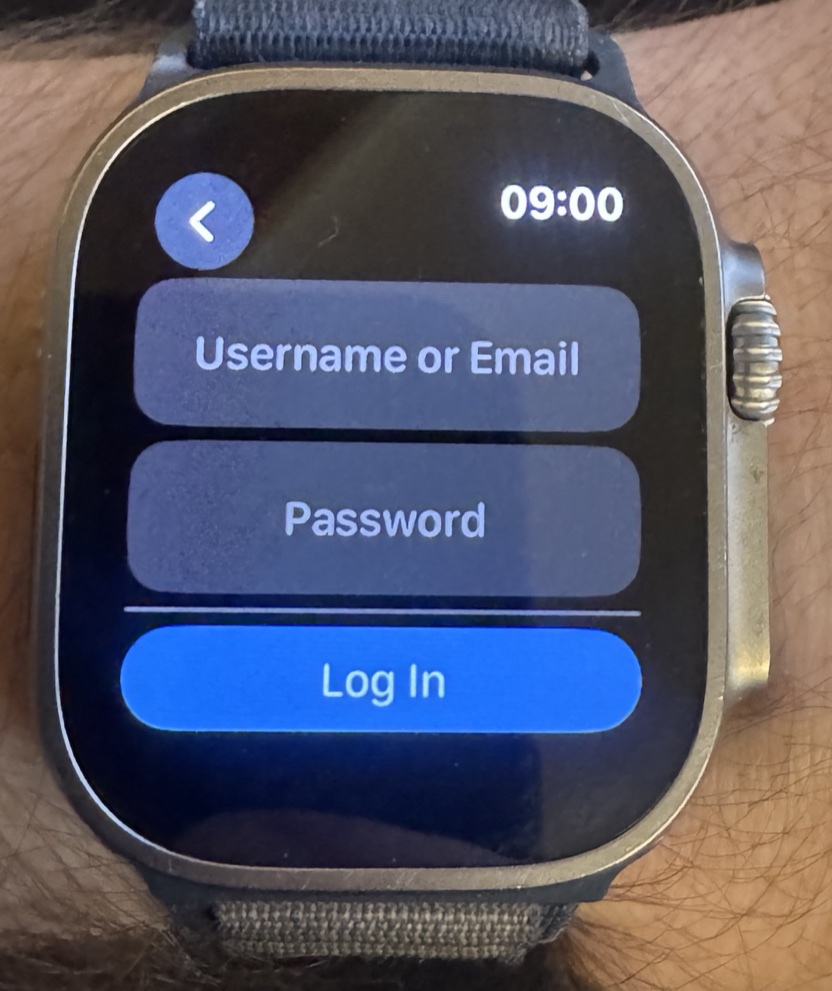 Strong
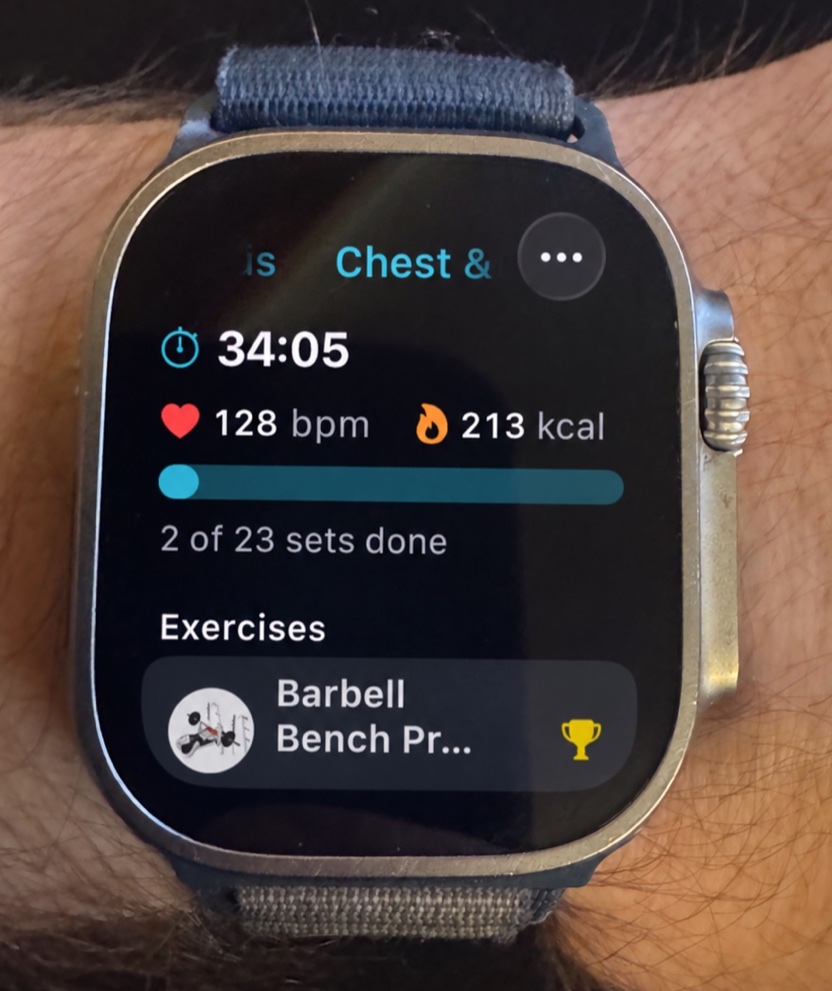 SetGrip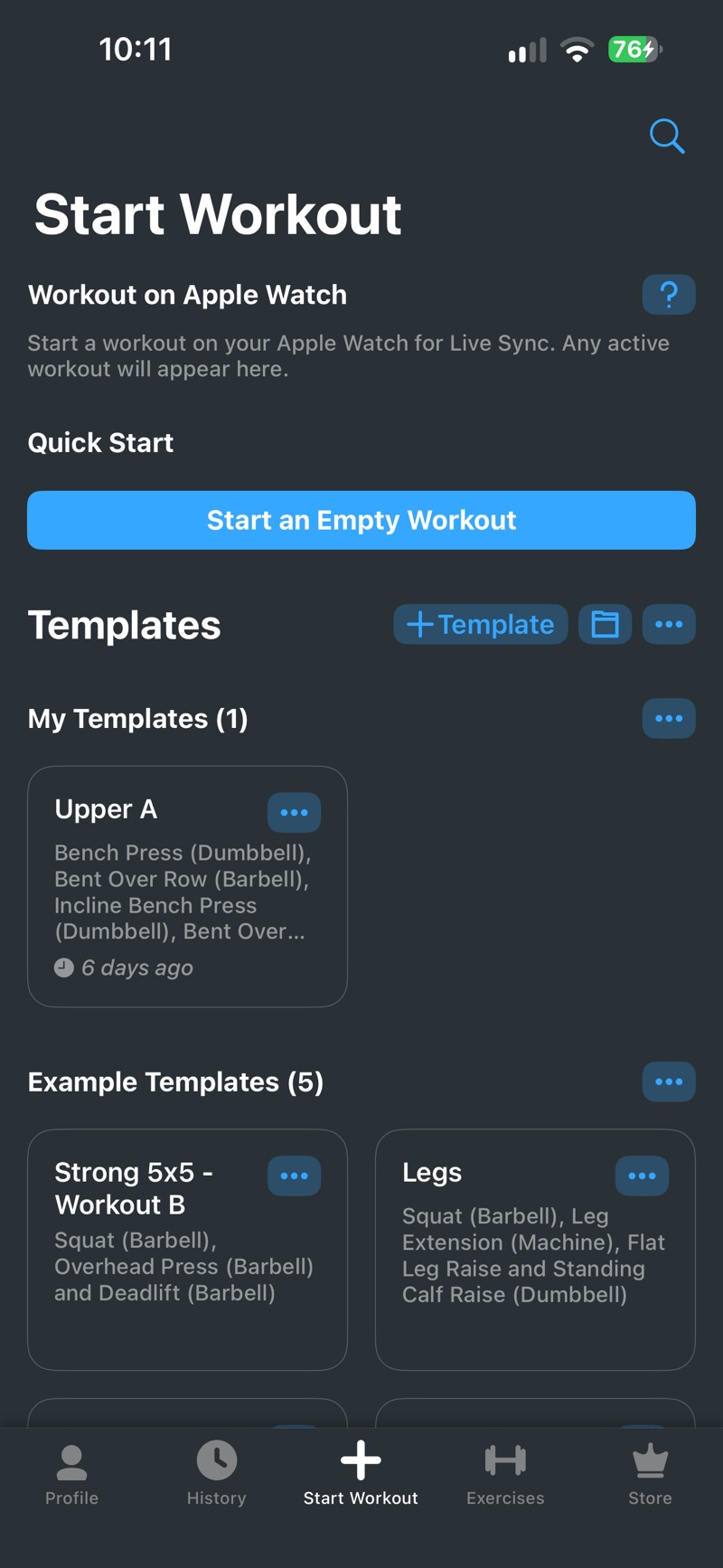
Apple Watch once it works
Both watch apps let you run a workout from your wrist. Strong for Apple Watch records and controls a workout, handles warm-up sets and timers, shows heart rate and calories, and has Live Sync so the same workout can be tracked on the watch and the iPhone at once.
The SetGrip watch app starts a routine, logs weight and reps with an on-watch number pad, marks sets done, runs the rest timer with haptics, shows live heart rate and active calories, and saves the finished workout to Apple Health once. It is a companion rather than an independent app. The iPhone has to be in Bluetooth or Wi-Fi range, which in practice means in your pocket or bag, not at home. If the connection drops, your sets are queued and applied when the phone is back.
Exercise library
Strong's help centre says the app “includes over 200 built in exercises in the Exercise Library, including Instructions and Videos”. That was the limit I noticed most after the account. Common barbell, dumbbell and machine lifts are there. Less common variations often are not. Strong solves this by letting you create custom exercises, which works, but a custom exercise is only a name. It has no demonstration and no instructions.
SetGrip takes the opposite approach. It ships 1,151 exercisesacross 37 muscles and 30 equipment types, and every one has a looping video, numbered steps, difficulty, and primary and secondary muscles. The same library is public on this website, one page per exercise. The honest downside is that SetGrip has no custom exercises yet. If a movement is missing you can request it, and the request board is a Premium feature. For most lifters 1,151 is enough. If you train something unusual, Strong's custom exercises are the safer choice.
Price and what the free version includes
This section is short because the two apps are nearly identical here. Both are free to download, both allow unlimited workouts and history for free, and both limit the free version to three saved routines. In the US App Store, Strong PRO costs $4.99 for one month, $19.99 for six months, $29.99 for one year and $99.99 for PRO Forever. SetGrip Premium costs $4.99 a month, $29.99 a year with a one-week free trial, and $99.99 once for lifetime. Prices in other countries differ in both apps.
What you pay for is different:
- Strong PRO adds unlimited templates, body part measurements, access to all charts, the plate calculator, the warm-up calculator, and custom app icons and themes.
- SetGrip Premium adds unlimited routines, per-exercise statistics and charts, weekly set counts per muscle group, plateau insights with notifications when a lift has stalled, and the feature and exercise request board. The details are on the free vs Premium help page.
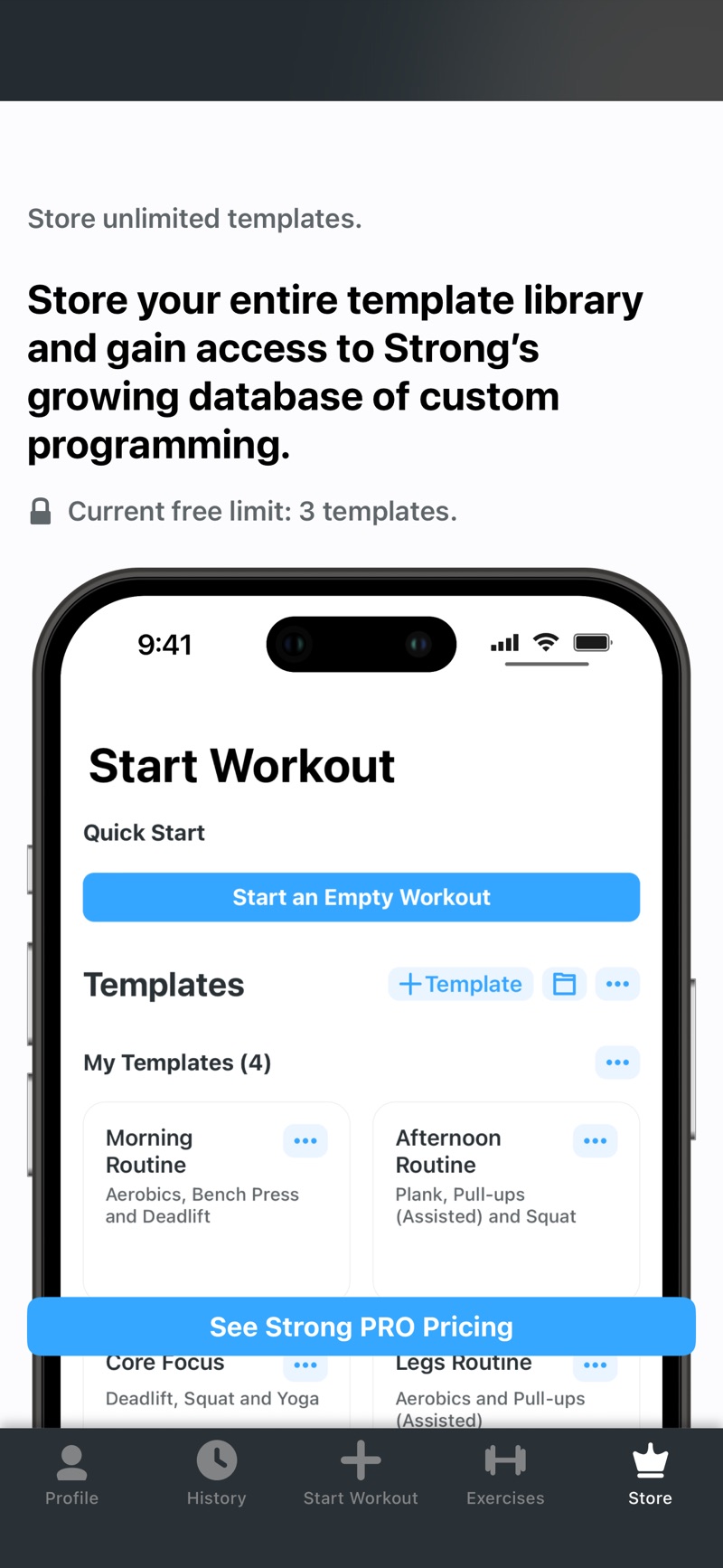
In both apps the Apple Watch app, rest timers, personal records and export are free. Neither app puts your own data behind the paywall, which is how it should be.
Export and leaving
Both apps do this well. Strong exports every workout as a CSV file from Settings, with options to include rest timers and notes, and exports body measurements separately. SetGrip exports finished workouts as CSV, one row per set, or as JSON with heart rate, notes and targets included. Both are free.
Neither app imports the other's file. If you switch from Strong to SetGrip you start with an empty history and keep the Strong CSV as your archive. That is a real cost of switching, and I say so in the help centre too.
What Strong has that SetGrip does not
I went through Strong's settings screen by screen. This is the list of things I found there that SetGrip does not have today:
- An Android app, and support for iPhones back to iOS 15. SetGrip needs iOS 26.
- Custom exercises.
- Starting an empty workout without a routine, and built-in example templates such as 5x5.
- A plate calculator and a warm-up calculator with several formulas and plate rounding.
- Body measurements, including weight, body fat, calories and individual body parts, with Apple Health sync for them.
- Editing a finished workout, performing a past workout again, and saving a past workout as a template.
- Template folders.
- Siri Shortcuts to start a workout or a specific template.
- Light, dark and black themes, and alternative app icons in PRO.
- A choice of one-rep-max formula, a week-start setting, and profile widgets.
- 11 languages against SetGrip's 7.
If several of those matter to you, use Strong. It is the more complete tool today.
What SetGrip offers instead
These are the things I did not find an equivalent for in Strong while using it:
- No account, no sign-up and no password, on the phone or the watch.
- History stored on your iPhone and in your own private iCloud rather than on the developer's servers. SetGrip has no server of its own.
- 1,151 built-in exercises with video against a little over 200.
- Plateau insights that tell you when a lift's estimated one-rep max has been flat for three weeks or more.
- Weekly set counts per muscle group, sorted into maintenance, low, growth and high zones.
- JSON export next to CSV.
To be exact about privacy: SetGrip is not a zero-network app. It uses anonymous usage analytics (TelemetryDeck), RevenueCat for purchases and WishKit for the request board, and iCloud sync is always on with no switch inside the app. What it does not have is an account, an email address or a workout database on my side. The details are on the privacy page.
A note on design
One smaller thing. Several of Strong's buttons felt small to me, and with larger fingers I sometimes had to tap twice or aim carefully, which is more noticeable mid-set than on the sofa. I am not a designer, and design is personal, so treat this as one person's hands rather than a verdict. SetGrip uses 48-point-high set rows and a 44-point complete button, which is Apple's minimum, not something unusually large.
Which one should you use?
Use Strong if you are on Android or an older iPhone, you want custom exercises, you use plate or warm-up calculators, you track body measurements in the same app, you often fix past workouts, or you simply want the app with many years of polish and 109,000 ratings behind it.
Use SetGrip if you do not want to create an account to write down your sets, you train with an Apple Watch and want it to work the moment the app is installed, you want a large exercise library where every movement has a video, or you want your history to stay on your own devices.
Since the prices and the free limits are the same, trying both costs nothing. SetGrip is free on the App Store and takes no sign-up, so you will know within one workout whether it suits you.
Questions people ask
Is SetGrip better than Strong?
It depends on what you need. SetGrip is the better fit if you want to train without creating an account, use an Apple Watch with no sign-in, and pick from 1,151 exercises with video. Strong is the better fit if you need Android, an older iPhone, custom exercises, a plate or warm-up calculator, body measurements, or editing of past workouts.
Does Strong require an account?
Yes. Strong's help centre says all users are prompted to sign up for an account before using the app, and workouts are stored in Strong Cloud. SetGrip has no account and no sign-up. Your history stays on your iPhone and in your own private iCloud.
Is Strong free? Is SetGrip free?
Both are free to download with unlimited workouts, and both limit the free version to 3 saved routines (Strong calls them templates). In the US App Store both charge $4.99 a month, $29.99 a year or $99.99 once for lifetime access. Strong also sells a 6-month plan for $19.99.
Which app has more exercises, Strong or SetGrip?
SetGrip ships 1,151 exercises, each with a looping video and step-by-step instructions. Strong's help centre says it includes over 200 built-in exercises with instructions and videos. Strong lets you create custom exercises. SetGrip does not yet.
Can I move my workout history from Strong to SetGrip?
Not directly. Strong exports your history as a CSV file for free, but SetGrip has no import feature yet, so you start with an empty history and keep the Strong CSV as your archive. SetGrip exports CSV and JSON for free, so you are not locked in either.